Welcome to the BOOPME™ NFC Tag activation process!
Here is a quick guide to get started.
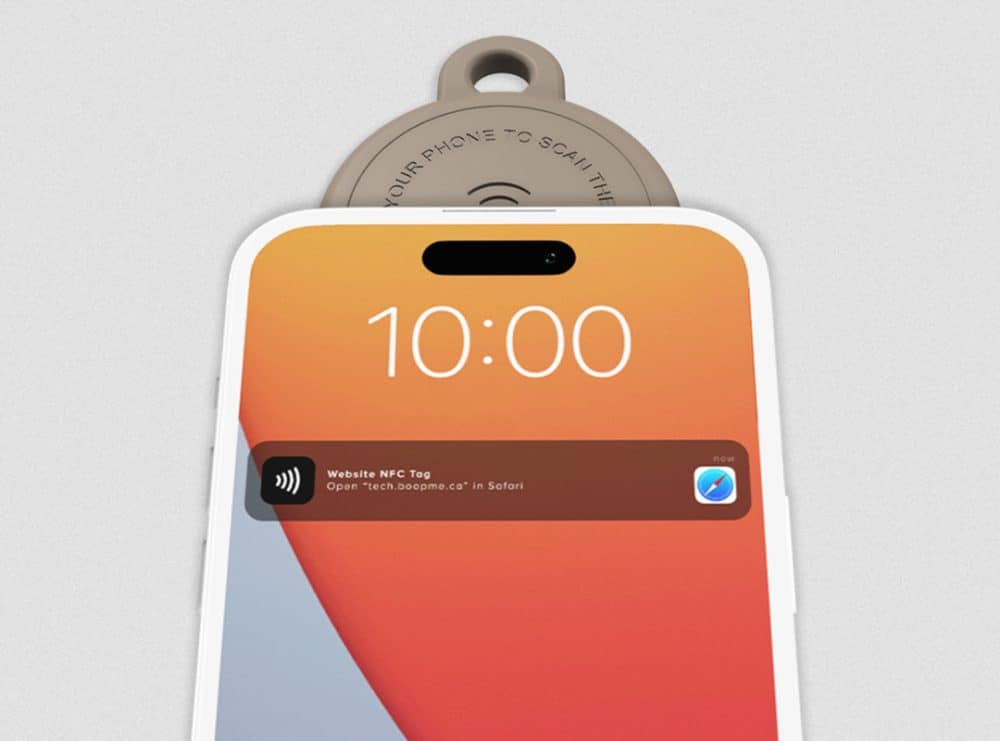
Step 1: Tap the Tag
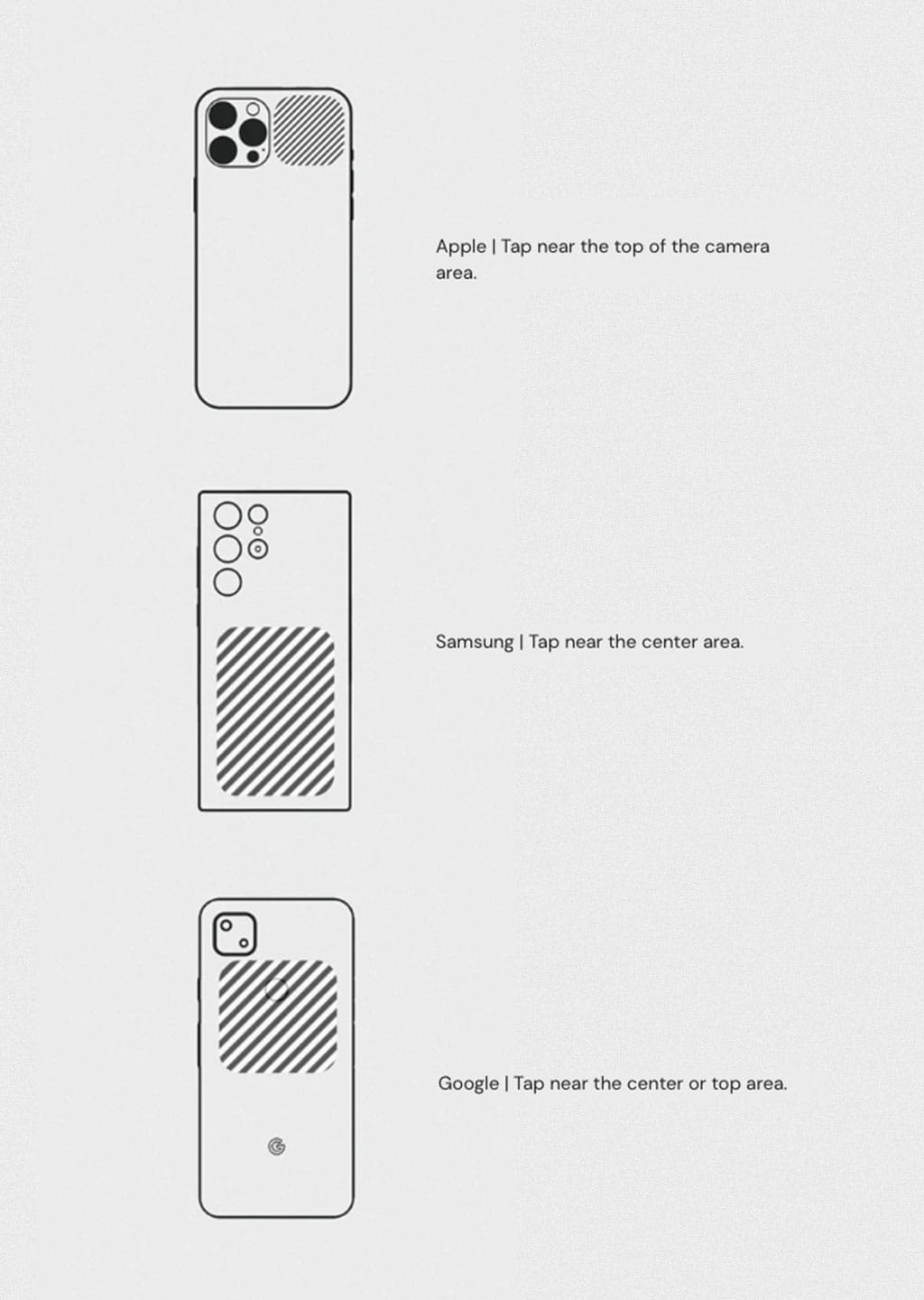
Using your NFC-enabled device (smartphone or tablet), tap the BOOPME™ tag. You can tap the tag on the front or the back. Make sure the NFC feature is enabled on your device.
Step 2: Access Activation Page
After tapping the tag, you will be automatically redirected to the activation page on our platform. Once on the activation page, you’ll have two options to select from:
- If you are a new user, select “Activate to New Account” to create a new BOOPME™ account and register the tag.
- If you already have a BOOPME™ account, click on “Add to Existing Account” to add the tag to your existing profile.
Step 3: Enter the unique Activation Code
To proceed with activation, enter the unique activation code found in the instruction card of your BOOPME™ product.
Step 4: Complete Activation
After entering the activation code, click on “Activate” to complete the activation process.
Your BOOPME™ tag is now ready to use.
If you encounter any issues or have further questions, feel free to contact our support team for assistance in the link below.